


How to Set Up Claude for Your Organization (SSO, Security, and Connectors Guide)
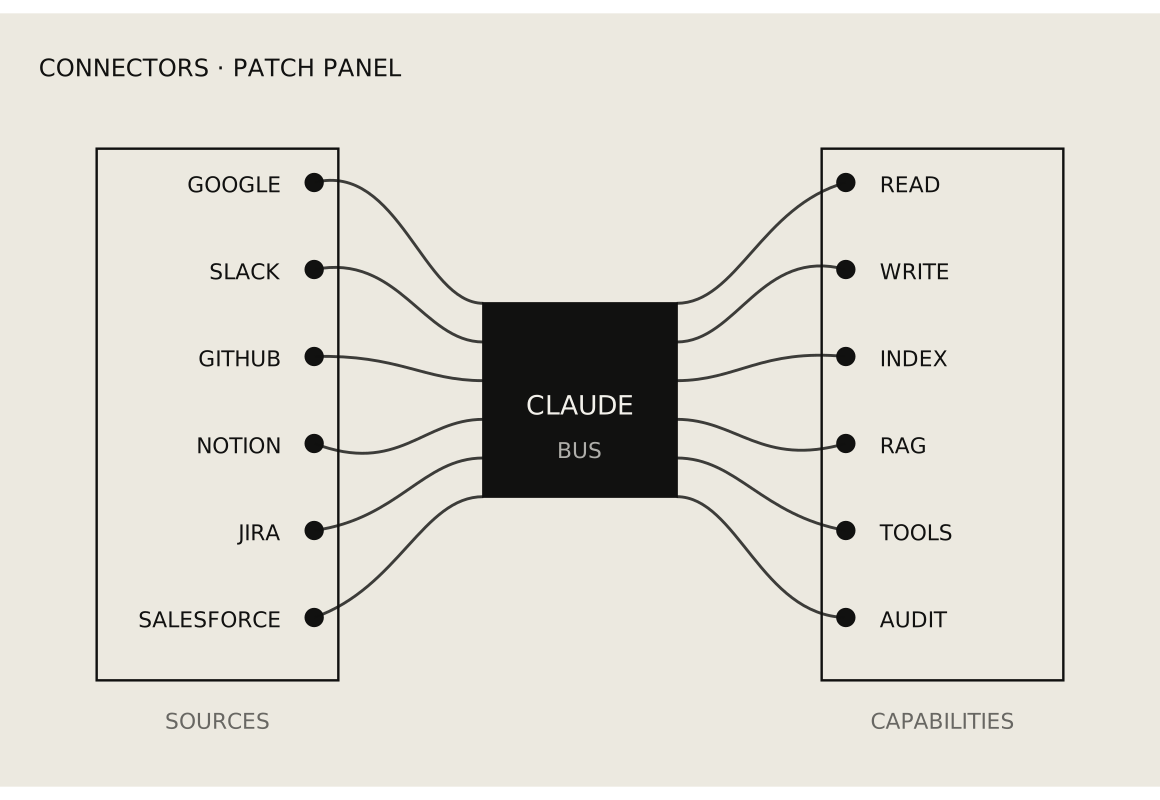
Setting Up Claude for Your Organization (Quick Summary)
If you're rolling Claude out to your team, here's what actually matters:
- Verify your root domain so your company controls access.
- Set up SSO with Google Workspace or Microsoft Entra ID to centralize login.
- Use simple company-wide groups (admins, team, contractors) instead of per-tool chaos.
- Keep client-level access inside the tools where work lives (Drive, ClickUp, Slack, Figma).
- Enable safe connectors first (Drive, Slack, Calendar, HubSpot) before sensitive ones (Gmail, QuickBooks, Stripe).
- Use 1Password for API keys and secrets, not for SSO-controlled app logins.
- Don't enforce SSO until you've tested it with a real user.
Done right, Claude becomes a shared intelligence layer across your business. Done wrong, it becomes another tool with messy access and real risk.
Quick Answer
To set up Claude for your organization:
- Verify your root domain using a DNS TXT record.
- Enable SSO using Google Workspace or Microsoft Entra ID.
- Create simple company-wide groups (admins, team, contractors).
- Keep client access controlled inside tools like Drive, Slack, and ClickUp.
- Enable core connectors first (Drive, Slack, Calendar, HubSpot).
- Limit sensitive systems (finance, infrastructure) to admins only.
- Use a password manager like 1Password for API keys and shared secrets.
Why the setup matters
AI tools are becoming part of the daily operating system for companies.
That's great — but it creates a new problem. If your team connects Claude to Google Drive, Slack, HubSpot, ClickUp, Gmail, QuickBooks, Stripe, Webflow, Supabase, and the rest of your stack, Claude stops being just a chatbot. It becomes a layer that can reference company knowledge, client context, internal conversations, financial data, project history, and production systems.
That means setup matters.
This guide walks through how to set Claude up for an organization the right way — domain verification, SSO for both Google and Microsoft identity providers, user structure, contractor access, connectors, governance, and how this fits with tools like 1Password.
The goal isn't to overcomplicate things. The goal is simple: give your team the power of Claude without accidentally giving everyone access to everything.
What is Claude for Teams and how is it different from a personal account?
Claude for a team isn't the same as one person using Claude Pro.
A personal Claude account is an individual workspace. The user owns their projects, chats, files, and setup.
A team or organization account is a shared business environment. The organization controls membership, domains, security settings, connectors, and shared access policies.
If someone had a paid individual Claude account before joining your team workspace, their old projects generally don't automatically appear in the team org. Treat the team workspace as a fresh company environment. Recreate only the projects, prompts, files, and workflows that are actually worth carrying forward.
That's usually a good thing — it forces people to separate personal experimentation from company infrastructure.
How do you verify your domain in Claude?
Domain verification is the first real admin step. It proves your company controls its email domain. If your team uses @yourcompany.com, you verify yourcompany.com by adding a DNS TXT record.
Per Anthropic's documentation, domain verification is required before you can configure SSO. Once a domain is verified at the parent organization level, other Claude organizations cannot claim that same domain. Verifying a domain on its own doesn't change existing user access — nothing breaks until you explicitly enforce SSO.
Why it matters:
- Prevents someone else from claiming your domain in Claude.
- Lets you turn on Restrict organization creation, so employees can't spin up separate Claude organizations using your company email domain.
- Unlocks SSO configuration and stronger access control.
Verify the root domain, not www
A common DNS mistake is trying to verify www.yourcompany.com instead of the root.
Verify yourcompany.com, not www.yourcompany.com.
www is usually already a CNAME record pointing to your website host — Webflow, Squarespace, Framer, or wherever your site lives. DNS doesn't allow a hostname to have a CNAME and a TXT record at the same time. Trying to add a TXT to www creates a conflict, and trying to replace the www CNAME can break your site.
Use:
- Host: @
- Type: TXT
- Value: the verification string Claude provides
Once the root domain is verified, turn on Restrict organization creation in your admin settings.
What is SSO and do you actually need it?
Before setting up SSO, it helps to understand the three login models you can end up with. They sound similar. They aren't.
Option 1: Email and password
The user signs in with person@yourcompany.com plus a password stored in Claude.
This is the weakest model. The email uses your domain, but the login is owned by the app. If the person leaves and you disable their Google or Microsoft account, they may still be able to log into Claude if you forgot to remove them there.
Option 2: "Sign in with Google" or "Sign in with Microsoft"
The user clicks a social login button. Google or Microsoft authenticates them, and the app accepts that identity.
This is better — identity is verified by your identity provider, not by Claude. But the app still manages its own membership. Your IdP confirms who the person is; Claude still decides what they can access.
Option 3: SSO through SAML
With SSO, Claude redirects users to your identity provider — Google Workspace, Microsoft Entra ID, Okta, or similar. The IdP authenticates the person and returns a signed identity response. You control login policy centrally.
This is the strongest model.
Put simply:
- Email + password: the app owns the login.
- Sign in with Google/Microsoft: the IdP verifies identity, but the app still owns access.
- SAML SSO: your organization owns the login policy and can enforce it.
SSO on Claude is available on Team and Enterprise plans. Anthropic uses WorkOS as the underlying SSO platform, which is why the setup flow references WorkOS behind the scenes.
How do you set up SSO with Google Workspace?
If your company uses Google Workspace, you configure Claude SSO with Google SAML.
In Claude:
- Go to Settings → Authentication.
- Open Setup SSO (or Manage SSO if you've started before).
- Select Google SAML as the identity provider.
- Claude will display the service-provider values you need to copy over: ACS URL (also called the Reply URL) and Entity ID (also called the Audience URI).
In Google Admin (admin.google.com):
- Go to Apps → Web and mobile apps.
- Click Add app → Add custom SAML app.
- Name it Claude.
- Google will give you:
- SSO URL
- Entity ID
- X.509 Certificate
Back in Claude:
- Paste the SSO URL, Entity ID, and certificate from Google — or, faster, upload the Federation metadata XML file. Claude will auto-fill the signing certificate, IdP Entity ID, and SSO URL.
- Configure attribute mapping:
- email → primary email
- firstName → first name
- lastName → last name
- Turn the Google SAML app on for yourself first. Test the login before giving anyone else access.
If Google ever shows an expired SAML certificate, generate a new active certificate and update it in Claude. An expired cert will silently break SSO sign-in.
Do not enforce SSO until you've confirmed the test works.
How do you set up SSO with Microsoft Entra ID?
If your company runs on Microsoft 365, you use Microsoft Entra ID (formerly Azure AD) as the SAML identity provider. The flow mirrors Google's, but the admin panel is different.
In Claude:
- Go to Settings → Authentication → Setup SSO.
- Select your identity provider (the setup flow supports Entra ID via SAML).
- Copy the Entity ID (Audience URI) and ACS URL (Reply URL) — you'll paste these into Entra.
In the Microsoft Entra admin center (entra.microsoft.com):
- Go to Identity → Applications → Enterprise applications.
- Click New application → Create your own application.
- Name it Claude. Choose Integrate any other application you don't find in the gallery (Non-gallery). Create.
- Open the app → Single sign-on → SAML.
- Under Basic SAML Configuration, click Edit and set:
- Identifier (Entity ID): the Entity ID from Claude
- Reply URL (ACS URL): the ACS URL from Claude
- Leave Sign on URL blank (SP-initiated sign-in works without it).
- Under Attributes & Claims, confirm the default claims are present. Entra provides them out of the box:Claude fieldEntra claim URISourceemail / NameIDhttp://schemas.xmlsoap.org/ws/2005/05/identity/claims/emailaddressuser.mail (or user.userprincipalname)firstNamehttp://schemas.xmlsoap.org/ws/2005/05/identity/claims/givennameuser.givennamelastNamehttp://schemas.xmlsoap.org/ws/2005/05/identity/claims/surnameuser.surname
- Under SAML Certificates, download the Federation Metadata XML file.
- Under Users and groups, assign the users or groups who should have access to Claude. Entra blocks sign-in for unassigned users — this is the single most common Entra mistake.
Back in Claude:
- Upload the Federation Metadata XML. Claude auto-fills the signing certificate, IdP Entity ID, and SSO URL.
- Test sign-in with a non-admin assigned user in an incognito window before enabling SSO enforcement.
Entra-specific gotchas
- Unassigned users are blocked. Assigning users in the Enterprise app is separate from the SAML config. Forget it and sign-in fails.
- Conditional Access. If your tenant has MFA or compliant-device policies, scope them to the Claude Enterprise app. A global block without Claude excluded will break sign-in.
- Certificate rollover. Entra SAML certificates default to a three-year lifetime. Create the new cert as Active, re-download the metadata, and re-upload it to Claude before the old cert expires.
- NameID format. Use emailAddress. If userPrincipalName and mail diverge for any user, you can end up with duplicates.
Should you enforce SSO immediately?
No. There's a difference between having SSO configured and having SSO enforced.
When SSO is configured but not enforced, users can still log in with their previous methods. When SSO is enforced, they must log in through your identity provider.
Claude lets you enforce SSO separately for Claude (the chat and team workspace) and Console (the API and developer platform). Most teams should enforce SSO for Claude first and leave Console enforcement off unless the team is actively using Anthropic's developer platform.
A safe rollout looks like this:
- Configure SSO.
- Turn the SSO app on for yourself.
- Test login end-to-end.
- Add one backup admin with SSO access.
- Have one or two team members test login.
- Then enforce SSO for Claude.
This is how you avoid locking yourself or the team out.
Which provisioning model should you choose (Invite Only, JIT, or SCIM)?
Claude supports three approaches to adding users.
- Invite Only. Admins manually invite users. SSO still controls login, but admins control org membership.
- JIT (Just-In-Time). The first time a user successfully authenticates via SSO, they're auto-joined to the Claude org. Fast — but every new user can consume a paid seat.
- SCIM. Your identity provider syncs users (and optionally groups) automatically to Claude. This is available on the Enterprise plan only.
Anthropic's provisioning documentation explicitly warns that saving provisioning changes before you've assigned users in the identity provider can result in users being deprovisioned from the Claude organization. Order matters: assign first, then save.
Rule of thumb:
- Small / mid teams: start with Invite Only. You get clean control while you're rolling out.
- Larger teams on Team plan: graduate to JIT once you want anyone with company SSO access to auto-join.
- Enterprise teams: use SCIM for full lifecycle automation — create, update, and deprovision users from a single source of truth.
Entra ID SCIM pushes changes on roughly a 40-minute cycle. Plan for that delay when deprovisioning.
How should you structure users with groups (admins, team, contractors)?
Once SSO works, the next question is groups.
A common mistake is creating a new group for every tool:
- claude-users@company.com
- slack-users@company.com
- clickup-users@company.com
- hubspot-users@company.com
That gets messy fast.
A better pattern is to create general company access groups and reuse them across tools.
A clean base:
- admins@yourcompany.com
- team@yourcompany.com
- contractors@yourcompany.com
Optional functional groups:
- engineering@yourcompany.com
- marketing@yourcompany.com
- finance@yourcompany.com
The principle: groups describe people's role in the company, not the specific app. Each app then uses those groups to decide access.
- Claude: admins get admin access, team gets normal user access, contractors only when needed.
- Slack: team gets workspace access, contractors get channel-specific access.
- HubSpot: marketing and admins; contractors rarely.
- ClickUp: team gets workspace access, contractors get project-specific access.
This keeps the identity layer clean.
How do you manage contractors and client access?
Contractors shouldn't be treated the same as employees. They work on specific projects or clients. They don't need broad company access.
The right approach is layered.
At the company identity level:
- Put contractors in contractors@yourcompany.com.
- That says: known external contributor.
At the tool level:
- Grant access only to the specific client folder, project, channel, or workspace they need.
- Don't create 60 different Google Groups for 60 clients unless you truly need that level of automation.
Example — a contractor working on Client A only:
- Google Workspace: Add them to contractors@yourcompany.com.
- Google Drive: Access only to the Client A folder.
- ClickUp: Invite only to the Client A space/folder/list.
- Slack: Add only to Client A channels.
- Figma: Access only to Client A projects.
- Claude: Their connector access reflects the underlying tool permissions.
Claude connectors rely on the permissions of the connected user. If a person can't access a file, folder, or channel in the source system, they shouldn't be able to access it through Claude.
Don't use Claude as the place you solve every permission problem. Fix permissions in the source systems.
What are Claude connectors and how should you use them?
Connectors let Claude reference other apps and services. This is where Claude becomes much more useful — it can pull context from Google Drive, Slack, Gmail, Calendar, HubSpot, Figma, Webflow, Stripe, QuickBooks, Supabase, Vercel, Zapier, Make, and others.
Connectors also introduce risk. The governance model matters.
Per Anthropic's connector documentation:
- On Team and Enterprise plans, an Owner or Primary Owner must enable a connector at the organization level before anyone can use it.
- Once enabled, individual users still need to authenticate their own account before using it.
- Claude only sees what the authenticating user can already access in the source tool. Underlying tool permissions carry through.
That distinction matters:
- Enabling a connector at org level = "this connector is allowed for the team."
- User authentication = "this person has connected their own account."
- Tool permissions = what Claude can actually touch inside that account.
Which connectors should you enable first?
Don't enable every connector just because it exists. Start with ones that create obvious productivity gains with manageable risk.
Start here:
- Google Drive
- Slack
- Google Calendar
- HubSpot (if you use it for CRM)
- ClickUp (or your PM tool)
- Fireflies / Fellow / meeting transcription
These help the team find project context, summarize meetings, turn notes into client recaps, pull action items, and understand sales history.
Add more sensitive connectors only after governance is in place:
- Gmail
- QuickBooks
- Stripe
- Ramp
- AWS / Supabase / Vercel
- Zapier / Make
- DocuSign
These touch financial data, production infrastructure, client communications, contracts, and automation workflows.
Suggested connector policy by risk tier
Low to moderate risk (easier to pilot, still apply normal permissions): Google Drive, Google Calendar, Fireflies, Fellow, Figma, Miro, Canva, Ahrefs, Postman.
Moderate to high risk (role-based access, careful enable): Slack, Gmail, HubSpot, ClickUp, Mailchimp, Klaviyo, Apollo, ZoomInfo, Webflow, WordPress.
High risk (admin-only, strict controls): QuickBooks, Stripe, Ramp, DocuSign, AWS, Supabase, Vercel, Zapier, Make, GoDaddy.
Read-only first: restricting connector actions
For any connector that can take actions, default to read-only where possible.
Anthropic's connector documentation notes that Team and Enterprise owners can restrict actions within a connected service — for example, allowing Claude to search and summarize email while preventing it from sending, or allowing Drive reads while preventing edits. These restrictions apply organization-wide and individual users cannot override them.
The right question isn't "Can Claude do this?" It's "Should Claude be allowed to do this for everyone?"
Sensible defaults:
- Google Drive: search + summarize. Careful with create/edit/delete.
- Gmail: search + summarize. Careful with send.
- Slack: search + summarize. Careful with posting.
- ClickUp: read tasks + summarize project state. Careful with create/edit/close.
- QuickBooks: reporting and lookup for finance roles. Avoid broad write.
- Stripe: payment and subscription lookup for trusted people only. Careful with refunds and billing changes.
- AWS / Supabase / Vercel: engineering/admin-only. Read-only unless there's a controlled workflow.
- Zapier / Make: highest risk — they move data and trigger actions across many systems.
How does Claude work with tools like 1Password?
SSO and 1Password solve different problems.
- SSO controls who can log into apps.
- 1Password controls who can access secrets.
Use both.
Don't store normal SSO app passwords in 1Password if the app should be accessed through Google or Microsoft SSO. Duplicating that creates a second path to the app that SSO enforcement can't close.
Use 1Password for:
- API keys
- Recovery codes
- Admin credentials
- Shared credentials for legacy tools that don't support SSO
- Client-specific credentials
- Environment variables and infrastructure secrets
A simple vault structure:
- Admin vault: owners only. Billing, root accounts, domain registrars, infrastructure.
- Team vault: low-risk shared tools.
- Client vaults: one per client or client group. Only assigned people get access.
- Contractor vault: only if needed. Limited, temporary, scoped.
Offboarding covers both layers: disable the Google or Microsoft account and remove the person from 1Password vaults. SSO-only misses API keys. 1Password-only misses SSO-managed app access.
How do you handle many clients without creating chaos?
If your company serves many clients, don't try to model every client inside your identity provider unless you have a mature IT function.
For most agencies, consultancies, and service firms, client-level permissioning should live inside the tools where the work happens.
The pattern:
- Google Workspace / Entra ID: high-level identity. Groups like admins, team, contractors.
- Google Drive: client folders with per-folder permissions.
- ClickUp: client spaces, folders, or lists. Contractors invited only where needed.
- Slack: client channels. Contractors in relevant channels only.
- Figma: client files or projects, scoped by project.
- 1Password: client-specific vaults.
- Claude: available to the right people; relies on source-system permissions.
This prevents identity bloat. You don't need 60 Google Groups for 60 clients. You need a clean base structure and disciplined project-level permissions.
How do you set organization-wide Claude instructions?
Claude supports organization preferences — admin-configured instructions that apply across the organization.
Per Anthropic's documentation, admins can set organization preferences in Organization Settings, with a maximum length of 3,000 characters. Changes may take up to an hour to propagate across Claude products.
This is a lightweight governance layer. Use it for expectations, not policy documents.
Examples:
- "Always distinguish facts from assumptions."
- "Do not send client-facing work without human review."
- "Prefer concise, direct communication."
- "When summarizing client work, include next steps, risks, and open questions."
- "Do not expose sensitive client data unless necessary."
A few clear rules beat a long manifesto nobody reads.
How do Claude Skills help standardize team workflows?
If your team runs repeatable workflows, Claude Skills can codify them.
Admins can provision organization Skills that become available to all users in the org. Users can toggle skills off individually, but admin-provisioned skills create consistent, approved workflows across the team.
Good use cases for an agency or consultancy:
- Client recap writing
- Scope of work drafting
- Discovery call analysis
- SEO content briefs
- Project QA checklists
- Sales proposal generation
- Internal strategy memos
This is where Claude stops being a chatbot and starts being a reusable operating layer.
How do you train your team to actually use Claude well?
Your team doesn't need a SAML and DNS lecture. They need simple rules.
Use Claude for:
- Turning messy notes into clear outputs
- Finding information faster
- Summarizing calls, docs, threads, and project context
- Structuring scopes, plans, strategies, and emails
- Thinking through problems
Don't use Claude for:
- Final decisions without human judgment
- Sending raw output to clients
- Handling sensitive data casually
- Making changes in production systems without review
- Approving financial, legal, or contractual decisions on its own
Teach better prompting.
Bad: "Summarize this."
Better: "Summarize this for a client-facing email. Include decisions made, open questions, risks, and next steps. Keep the tone direct and professional."
Bad: "What is this project?"
Better: "Summarize this project for someone joining the account. Include the client goal, current status, important context, blockers, and what we should do next."
Prompt quality determines output quality.
What's a safe rollout plan?
Phase 1: Admin setup
- Verify the root domain.
- Turn on Restrict organization creation.
- Set up SSO (Google or Microsoft).
- Test SSO with one admin.
- Keep provisioning as Invite Only.
- Don't enforce SSO until tested.
Phase 2: Access structure
- Create general groups: admins, team, contractors.
- Map access at a high level.
- Avoid creating app-specific groups unless necessary.
Phase 3: Core connectors
- Enable: Google Drive, Slack, Google Calendar, ClickUp, meeting tool, HubSpot (if relevant).
- Keep sensitive connectors off or admin-only.
Phase 4: Governance
- Write simple internal usage rules.
- Set organization preferences (the 3,000-character instruction block).
- Define what Claude can and cannot be used for.
- Train the team with real examples.
Phase 5: Sensitive systems
- Evaluate Gmail, QuickBooks, Stripe, Ramp, AWS, Supabase, Vercel, Zapier, Make, and DocuSign one at a time.
- Start read-only where possible.
- Restrict write actions.
- Limit to trusted roles.
Phase 6: Contractors and clients
- Use company-controlled accounts where possible.
- Add contractors to the contractors group.
- Grant tool-level access only to specific clients.
- Use client-specific Drive folders, ClickUp spaces, Slack channels, Figma projects, and 1Password vaults.
- Remove access immediately when work ends.
What's the offboarding checklist when someone leaves?
- Suspend or disable the Google Workspace or Microsoft 365 account.
- Remove from the Claude org.
- Remove from Google Groups.
- Remove from 1Password vaults.
- Remove from Slack, ClickUp, HubSpot, Webflow, Figma, and anything not fully SSO-controlled.
- Transfer ownership of files, automations, dashboards, and recurring workflows.
- Audit high-risk tools: Stripe, QuickBooks, AWS, Supabase, Vercel, Zapier, Make, GoDaddy, DocuSign.
- Rotate any shared passwords or exposed API keys.
SSO reduces offboarding risk. It doesn't eliminate the need for the checklist.
Common mistakes when setting up Claude
- Connecting every tool immediately. Start with core connectors. Add sensitive ones once governance is in place.
- Giving contractors full access. Scope everything at the tool level.
- Managing client access through Google Groups. Let tools handle project-level access.
- Skipping SSO. Email/password is the weakest login model.
- Enforcing SSO too early. Configure, test, backup admin, then enforce.
- Leaving write access on connectors by default. Default to read-only.
- Storing SSO app passwords in 1Password. That creates a second login path SSO can't close.
- Relying on JIT without understanding seat usage. Every new login can mean a new paid seat.
- Not assigning users in Entra before testing. Entra blocks sign-in for unassigned users — this is the #1 Entra gotcha.
- Forgetting certificate rollover. Expired SAML certs silently break SSO.
The simple operating principle
The best way to manage Claude for an organization is to separate the layers.
- Identity: Google Workspace or Microsoft Entra ID.
- Access groups: admins, team, contractors, maybe a few function groups.
- Tool permissions: client-level and project-level access inside Drive, ClickUp, Slack, Figma, HubSpot, and others.
- Secrets: 1Password.
- Claude: the intelligence layer that references approved tools and helps the team work faster.
Rules:
- Don't make Claude your permission system.
- Don't make Google Groups your project management system.
- Don't make 1Password your access control system.
Each layer has a job. When the layers are clean, Claude becomes more powerful and less risky.
Frequently asked questions
Does Claude for Teams support Microsoft Entra ID? Yes. Claude supports SAML SSO with Microsoft Entra ID (formerly Azure AD). You create a non-gallery Enterprise application, configure the SAML Basic Configuration with Claude's Entity ID and ACS URL, and upload the Federation Metadata XML back to Claude to auto-fill the signing certificate, IdP Entity ID, and SSO URL.
What's the difference between Sign in with Google and SSO with Google? "Sign in with Google" uses Google to verify identity, but the app still manages membership. SSO through Google SAML makes your Google Workspace the source of truth — you can enforce that every Claude login goes through Google and nothing else.
Is SCIM available on Claude Team? SCIM provisioning is available on the Enterprise plan. Team plans use Invite Only or JIT. If lifecycle automation matters, plan for Enterprise.
Can contractors use Claude connectors safely? Yes, if you scope them at the tool level. Claude connectors inherit the user's underlying tool permissions — a contractor who can only see Client A's Drive folder can only see Client A's Drive folder through Claude.
How long do organization preferences take to apply? Up to roughly an hour to propagate across Claude products.
Should I enforce SSO on Claude and Console at the same time? Not usually. Enforce SSO for Claude first. Leave Console enforcement off unless the team actively uses the developer platform and you want API access controlled the same way.
Does Claude see everything in my connected Drive/Slack/Gmail? Claude can only see what the authenticating user can already see in that tool. It inherits permissions. It doesn't create new ones.
Need help rolling this out?
If you're setting Claude up internally and want a second set of eyes on the structure — SSO, groups, connectors, contractors, client access — we can walk through your setup and map it around the systems you already use.
Related
Articles
Readers always have access to latest trends and perspectives.
.avif)


.avif)


